
Move
The head turns to wherever your mouse is — yaw left/right, pitch up/down — with the turn split between the body and the neck.
Scroll
Controls antenna droop: scroll up to perk them, scroll down to make them droop ("sad").
Click & hold
The head leans sideways: left button leans left, right button leans right. Release to re-center. Or set the left button to play a sound on the robot's speaker — your pick in the settings.
Try the interface — right here
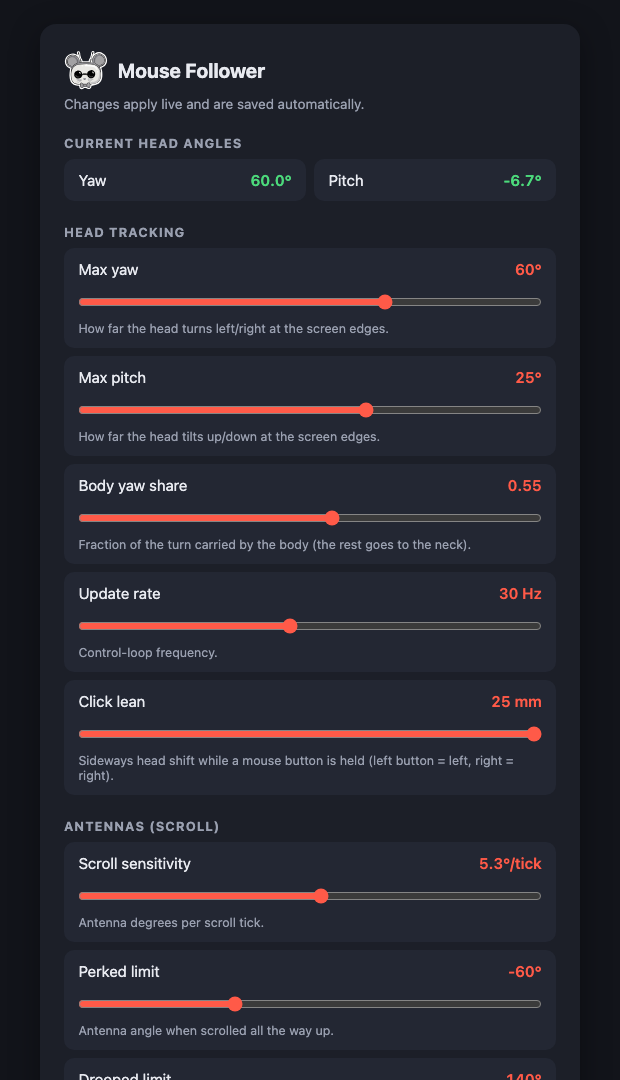
This is the app's actual settings page, with the robot backend faked in your browser. Move your mouse around this page and watch Current head angles follow it — that's what the robot's head would do. The sliders work too.
No robot required — nothing here talks to hardware.
And with a real robot attached
The same page while the app drives a Reachy Mini: settings apply live on the next control tick, and the head angles update as the robot follows the mouse.
Get it on your robot
Install this Space from your Reachy Mini dashboard, then run it on the computer whose mouse you want
to track (macOS or Linux/X11) — not on the robot. The settings page opens at
http://localhost:8042.